
Email me!
Click to Copy!
When Every Session Counts: Redesigning the WGS App
Client
World Government Summit
Scope
Research, UX/UI Design
Duration
3 months
I've put together this case study to follow the project's natural unfolding, rather than a rigid template structure. To keep things interesting, the challenges I faced are explained across the project's different features.
OBJECTIVE
The ask simply was
redesign the WGS App!
In a service company, projects are first discussed amongst the business team. Following which we are informed of an upcoming project in the roughest terms. It’s generally a while before we get in direct contact of the client. The stakeholders hence include not only the client team and the development team but in this case, the internal product team as well as members of the client’s web design team.

DESKTOP RESEARCH
We started with understanding,
what is WGS?
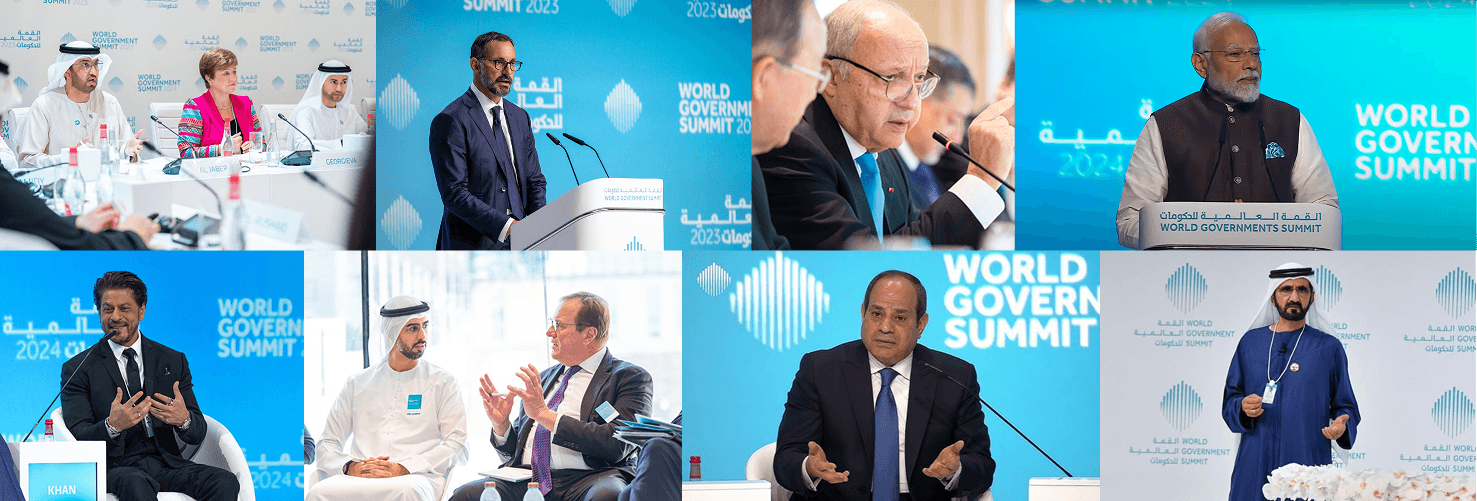
The World Governments Summit (WGS) is a global, neutral, non-profit organization dedicated to shaping the future of governance. It brings together leaders, innovators, and policymakers from around the world to explore how emerging technologies and innovation can address humanity’s most pressing challenges.
As the App was for the summit, our next step was to figure out how does the summit unfold?
Annually, WGS hosts high-level events, forums, and roundtables — culminating in a multi-day summit that features numerous sessions across diverse themes. These sessions are held in various formats (public, private, and by invitation), often in collaboration with governments, the private sector, and international partners.
UNDERSTANDING THE PROBLEM
Our first step was to figure out,
why was the WGS App created?
To help attendees navigating a large summit with sessions spanning 7 themes in various formats in a compact 4 days experience.
To have an informative digital layer available at their fingertips over chasing down an coordinator
To help attendees connect and grow their network, as the summit acts as a conduit for starting conversations and network building
We spoke with the 4 attendees, 3 product managers and 4 WGS management members stakeholders to get our answers -
Why are we redesigning the existing App?
(i.e. figuring out the pain points)
From a business perspective
Despite having an event app in place, WGS struggled to deliver a seamless digital experience.
Information was often outdated, session access was confusing, and users couldn’t filter or personalize their schedules. Instead of simplifying the summit’s complexity, the app often amplified it.
The ambition and scale of WGS demanded a robust digital layer — but the existing app couldn’t keep up.
From User perspective
Finding relevant sessions was difficult, with key information buried deep within the interface.
Speakers often presented in their native languages, limiting accessibility for a global audience.
Attendees frequently missed sessions simply due to the time it took to locate the next venue.
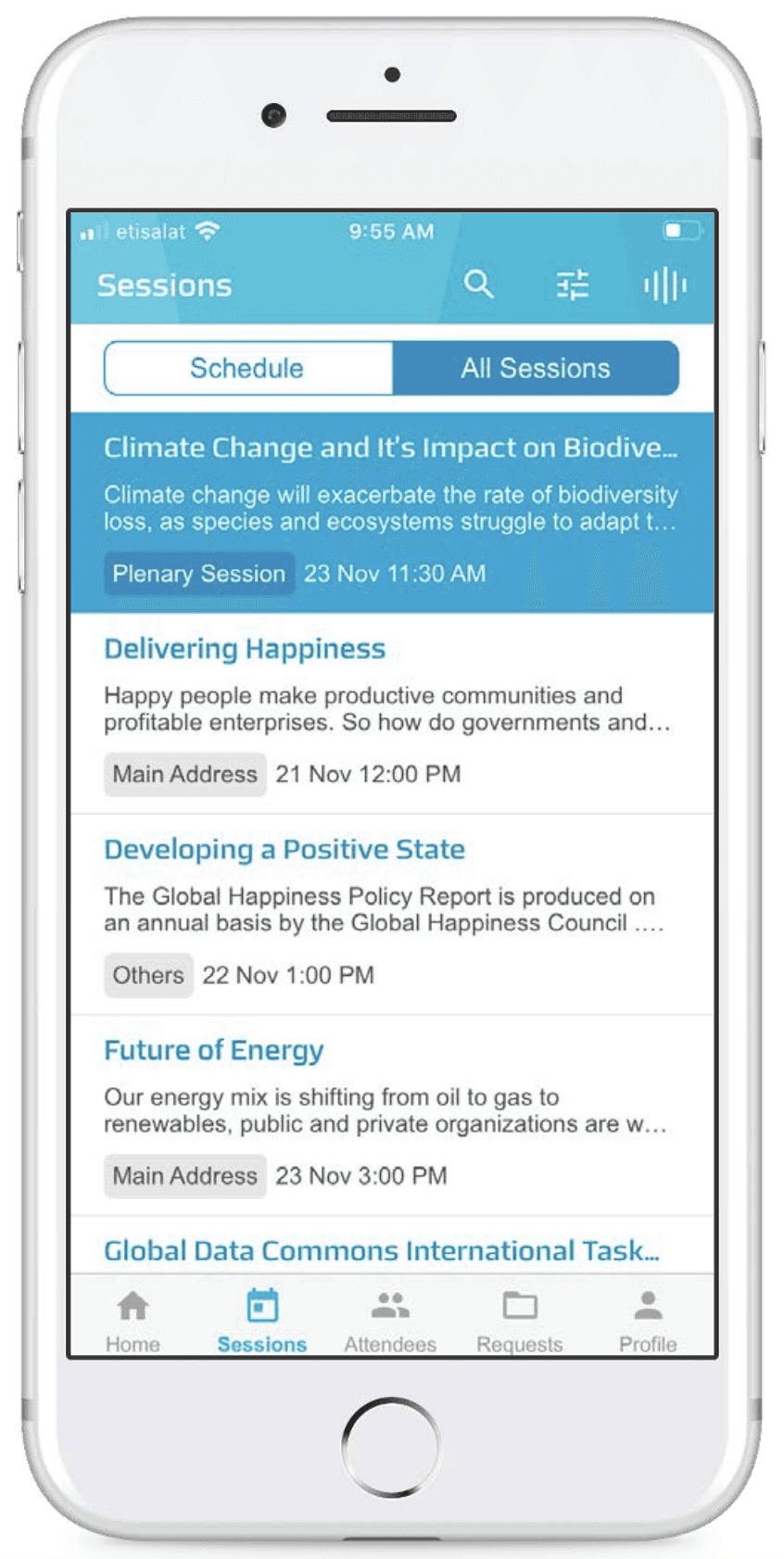
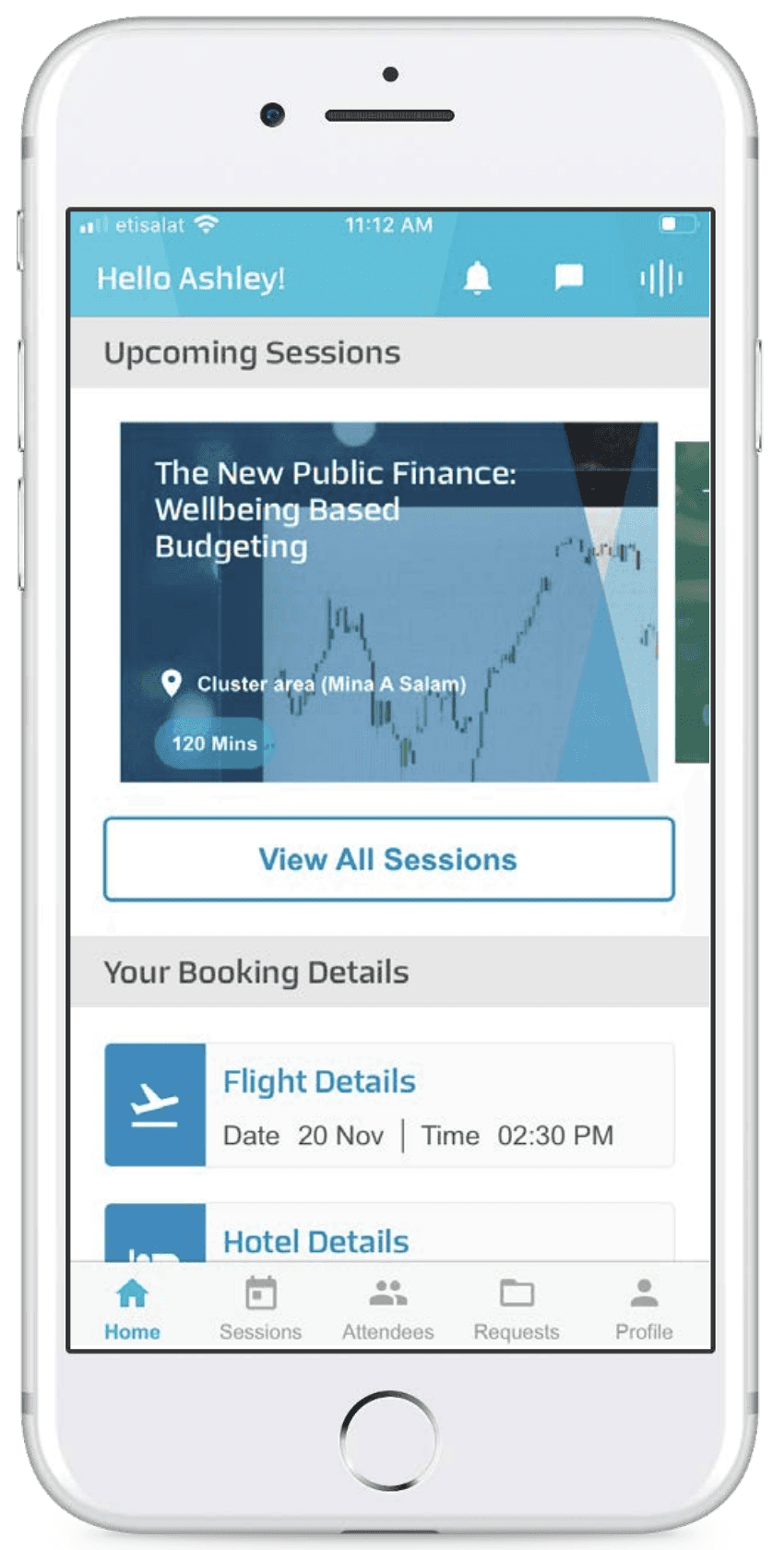
We then attempted to figure out,
how are others solving these problems?
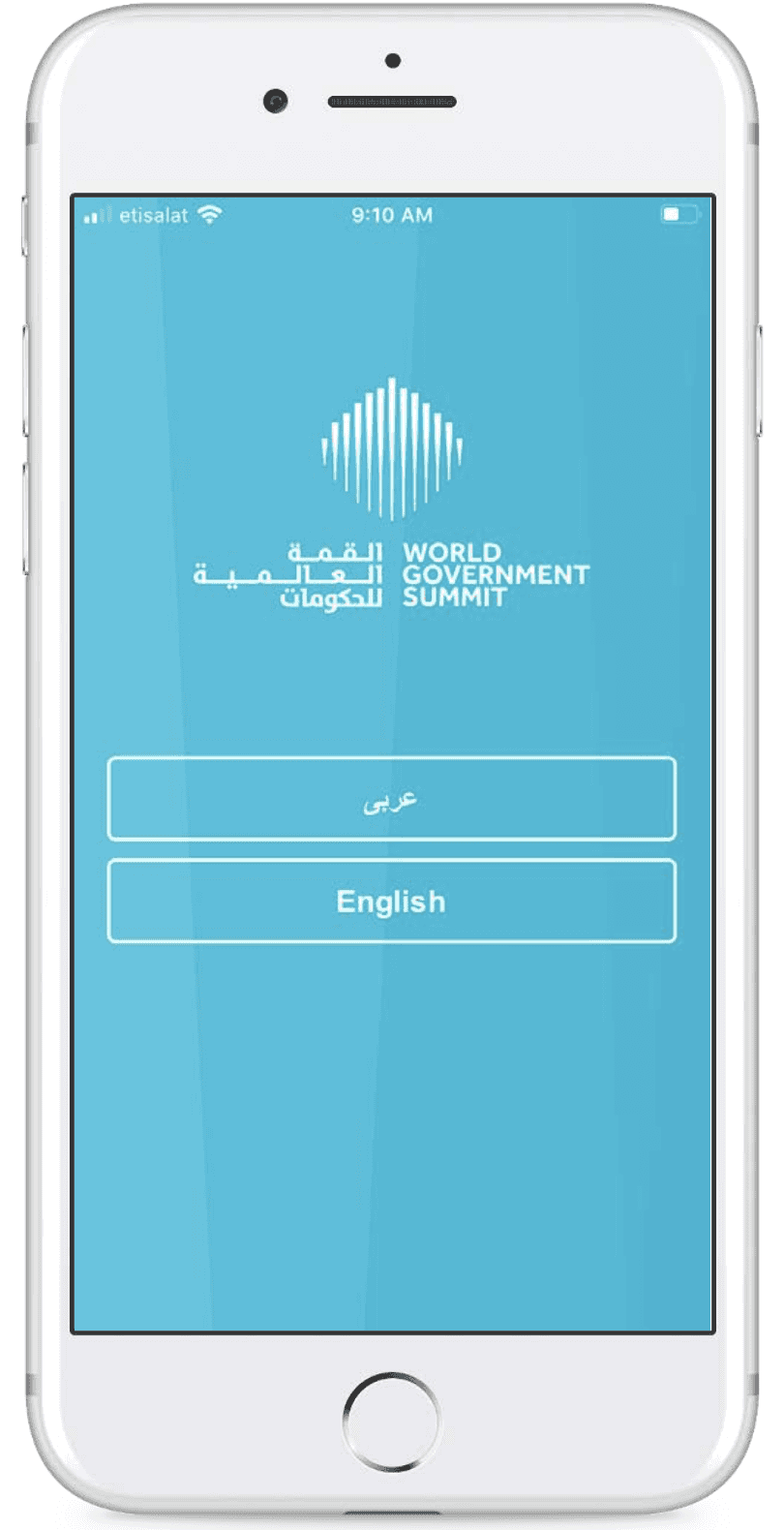
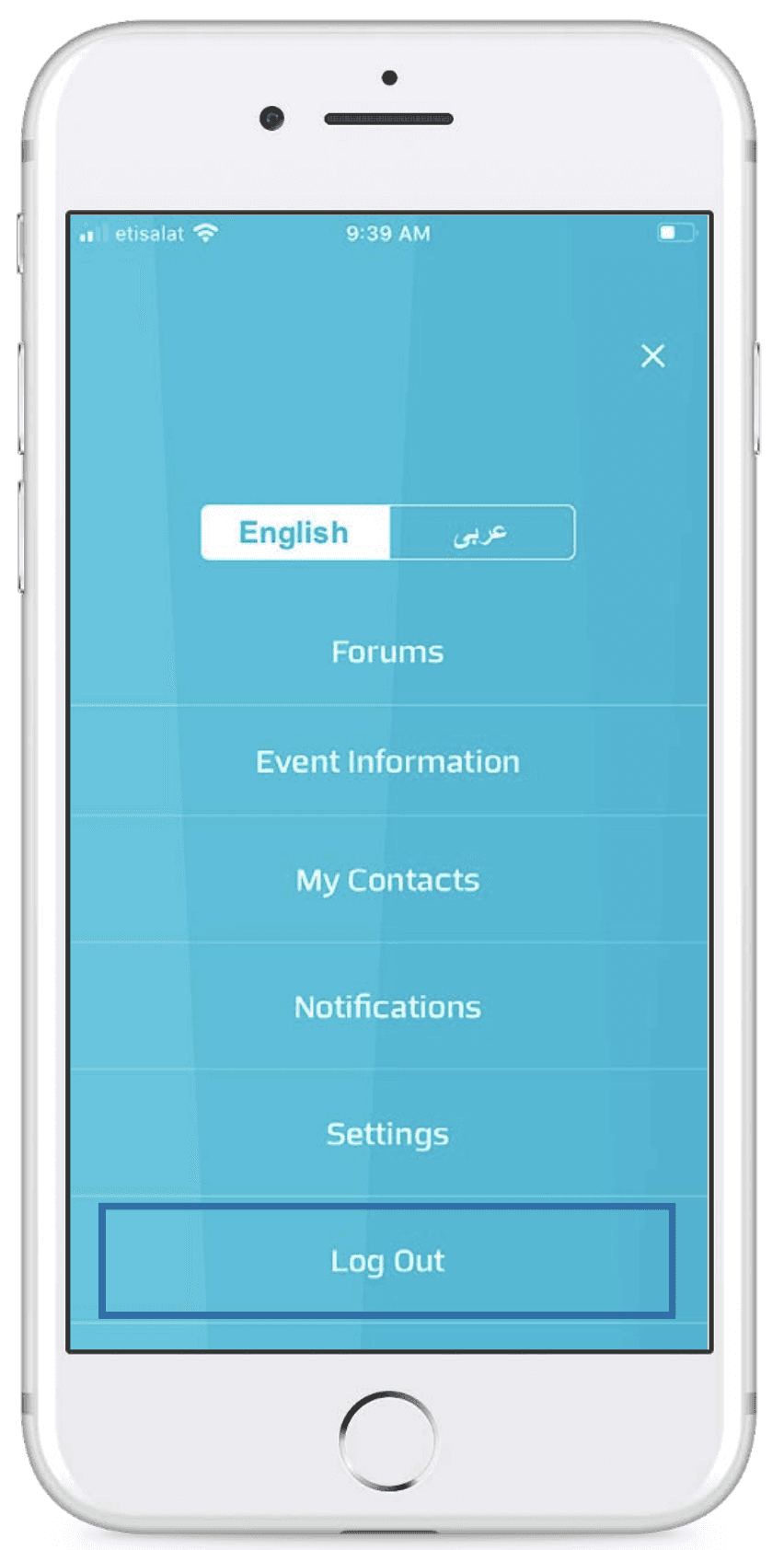
Here’s when we looked at event management apps of all types of events, not limiting ourselves to just Geopolitical App. This helped us look at essential features and functions.
Project Brief
Redesign the WGS event app to enhance engagement, navigation, and personalization at scale. Develop a structured agenda system tailored to user roles, ensuring seamless session discovery and interaction. Introduce smart filtering, dynamic networking opportunities, and a streamlined interface that empowers attendees and speakers to navigate the summit with confidence.
IDEATION
Early brainstorming covered a broad range of possibilities:
Session Assistance:
Let speakers raise requests based on the materials they would need.
Let speakers also see their sessions and check i the things they require are available to them.
Offer access to presentation materials, whitepapers, and other relevant documents.
Provide access to live streams and recordings of sessions for remote attendees or post-event viewing.
Live Q&A area with an option to promote raised questions.
Session note taking
Networking
Referencing a session while starting a conversation
Start a conversation between multiple attendees to initiate a discussion
matching based on interests
Session based chat spaces created just before events
Current and past sessions both to have a way to connect with people who attended a previous sessions
Navigation:
Help attendees navigate the venue with interactive maps showing session locations, restrooms, dining areas, etc.
Day routes - Let the map reflect the individual’s agenda
Schedule
Dual Schedules: Access to both their individual schedule and the delegation’s shared agenda.
Scheduling assistant to arrange informal meetings
Assumption
We assumed the tech proficiency to be med as even though our users lie largely in the 50+ age category (this was estimated based off on research about age bracket of political leaders), it would be their assistants or other members of their delegations who would be using the app. Let’s also remember that these are the brightest minds of the world debating technological development. Keeping in mind this age category, we decided to follow accessibility guidelines while designing our UI.
Scope of the Project
We were working on a tight deadline, with a small development team. The product team also had a small budget to allocate for the release of the redesigned app.
Hence, for phase 1, the need to have features were to be prioritised. We defined these by going back to the business’s needs for creating the app and the discovered pain points of attendees. To create a structured approach, we categorised features into four themes.
Navigation & Scheduling (Agenda improvements & personalization, venue maps)
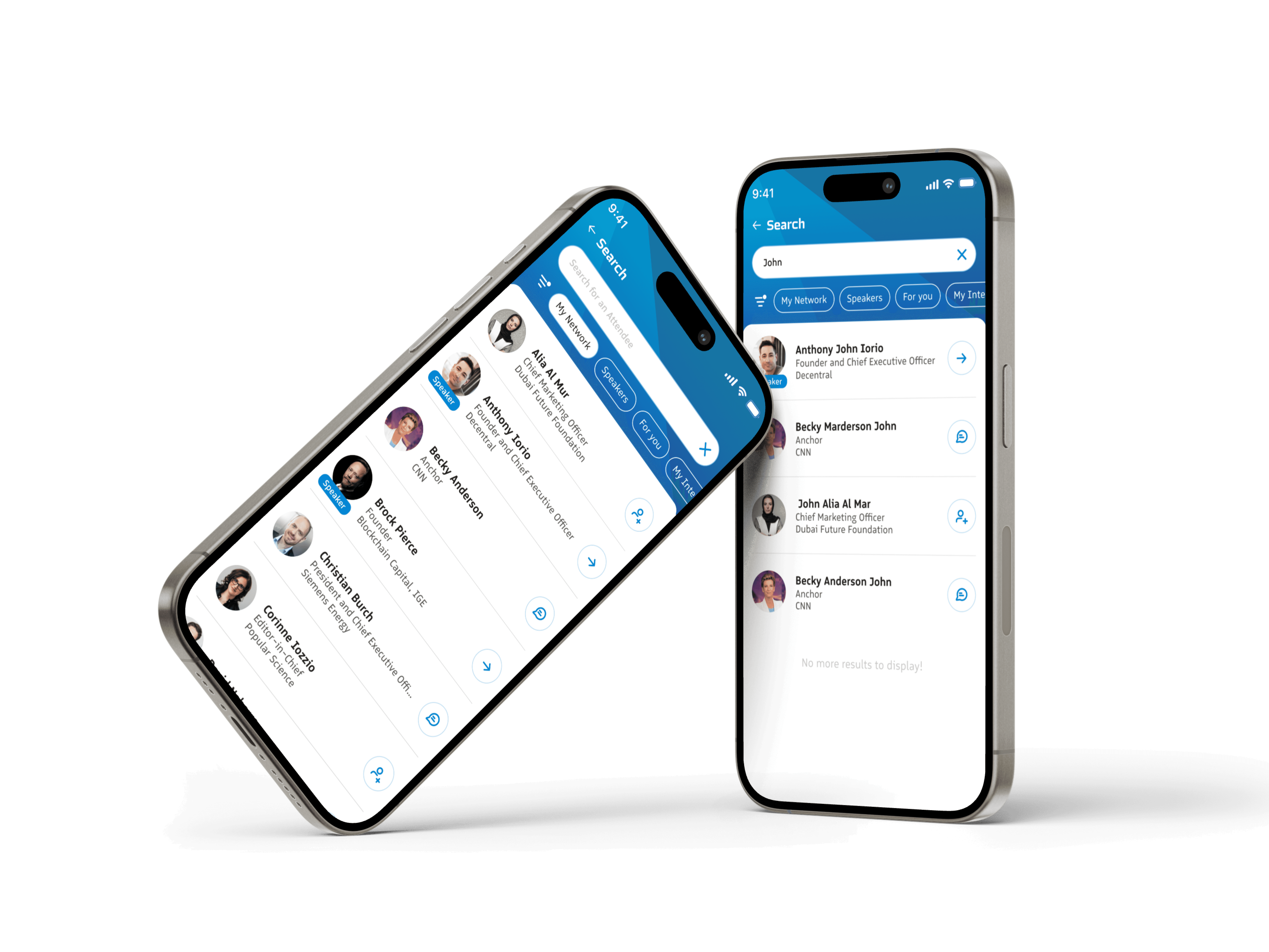
Networking & Engagement (Interest-based connections, structured Request interface)
Accessibility & Information (Live Translation & Caption, Media hub)
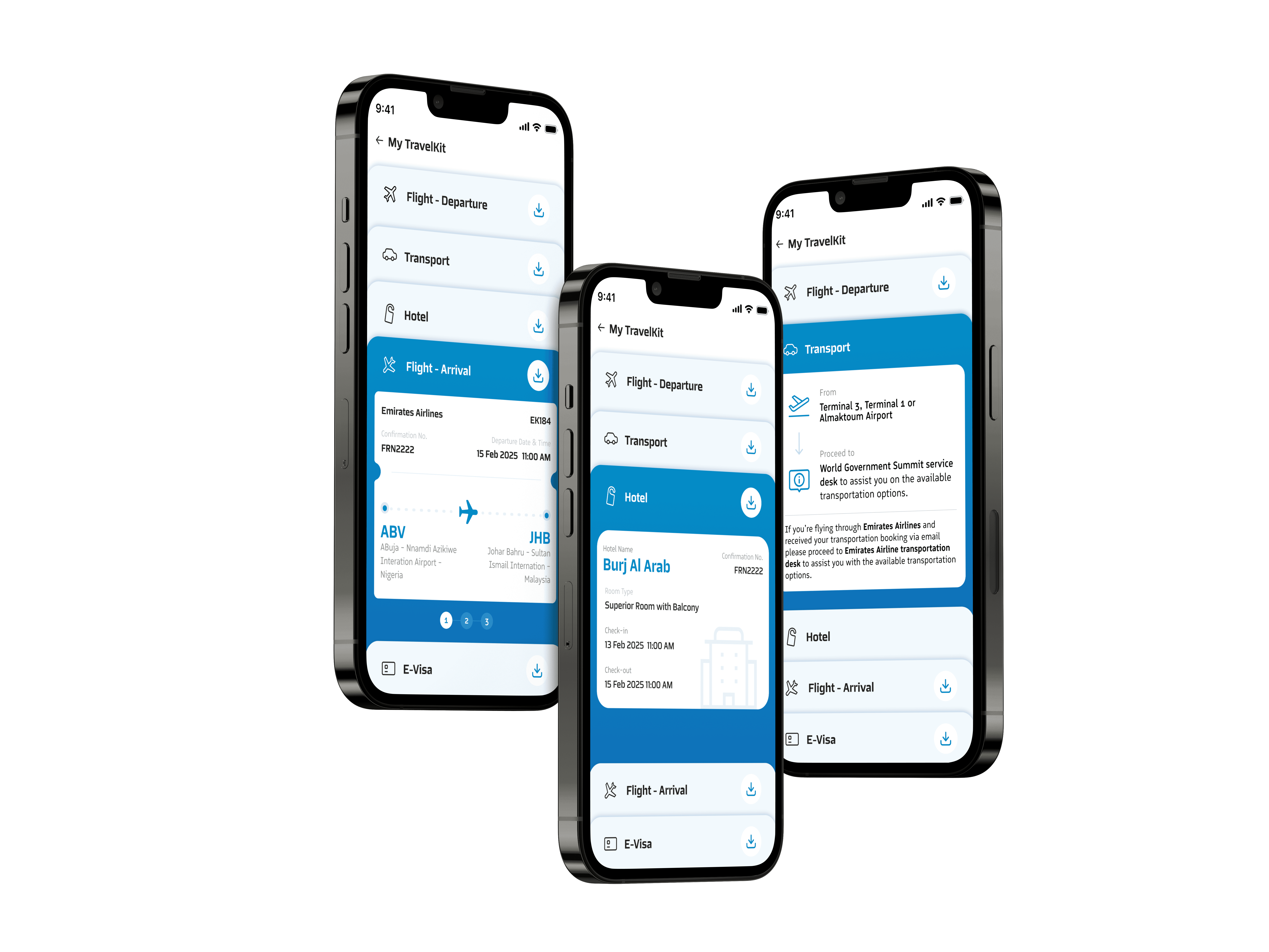
Event Logistics (travel kit, access tracking)
By this point, I led all Design decisions.
Hence the change to writing in first person!
Information Architechture
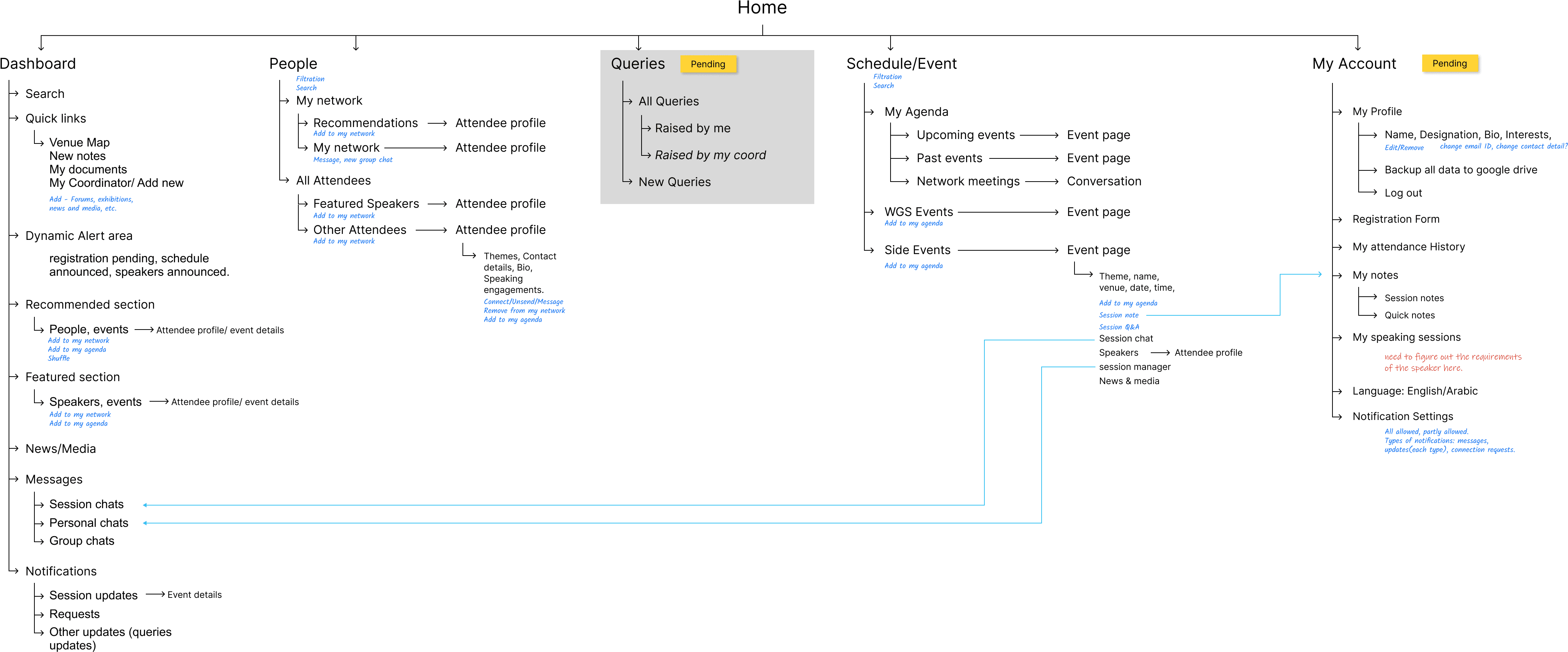
Once we had our phase 1 features in mind (in fact even before then, as in reality project isn't a straight line but like a spaghetti noodle), I noted down the functions under the feature, scenarios that they would be required in and the urgency in which users might need to access the feature.
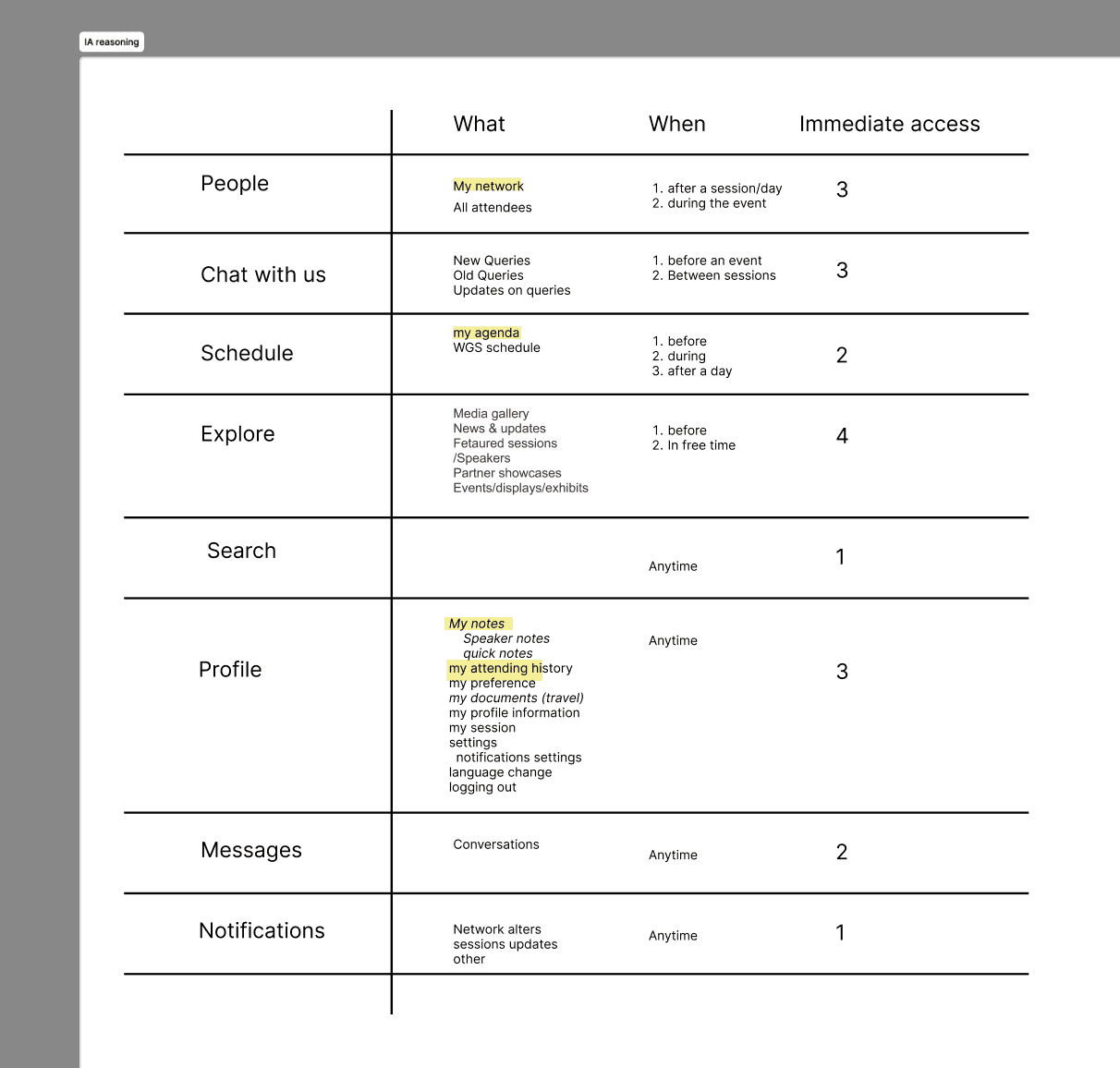
With this hierarchy in mind, I came up with the following Information Architecture (with some additional detailing for myself).
The Final Design
I only intend to show one feature, the one that caused me the most trouble and even in that, just my challenges and the decisions I made!
The UI Design has not been given focus here for the following reasons:
The Client had a very detailed brand book which included colour, typography (both English & Arabic), logo usage, as well as patterns to be used.
While I worked on the wireframes, a UI Designer on the team set the style of the app by designing the Home screen!
A second iteration of UI also came about due to the style set by the web design team, increasing the duration of this project
The following app was created keeping consistent with the above criterion.
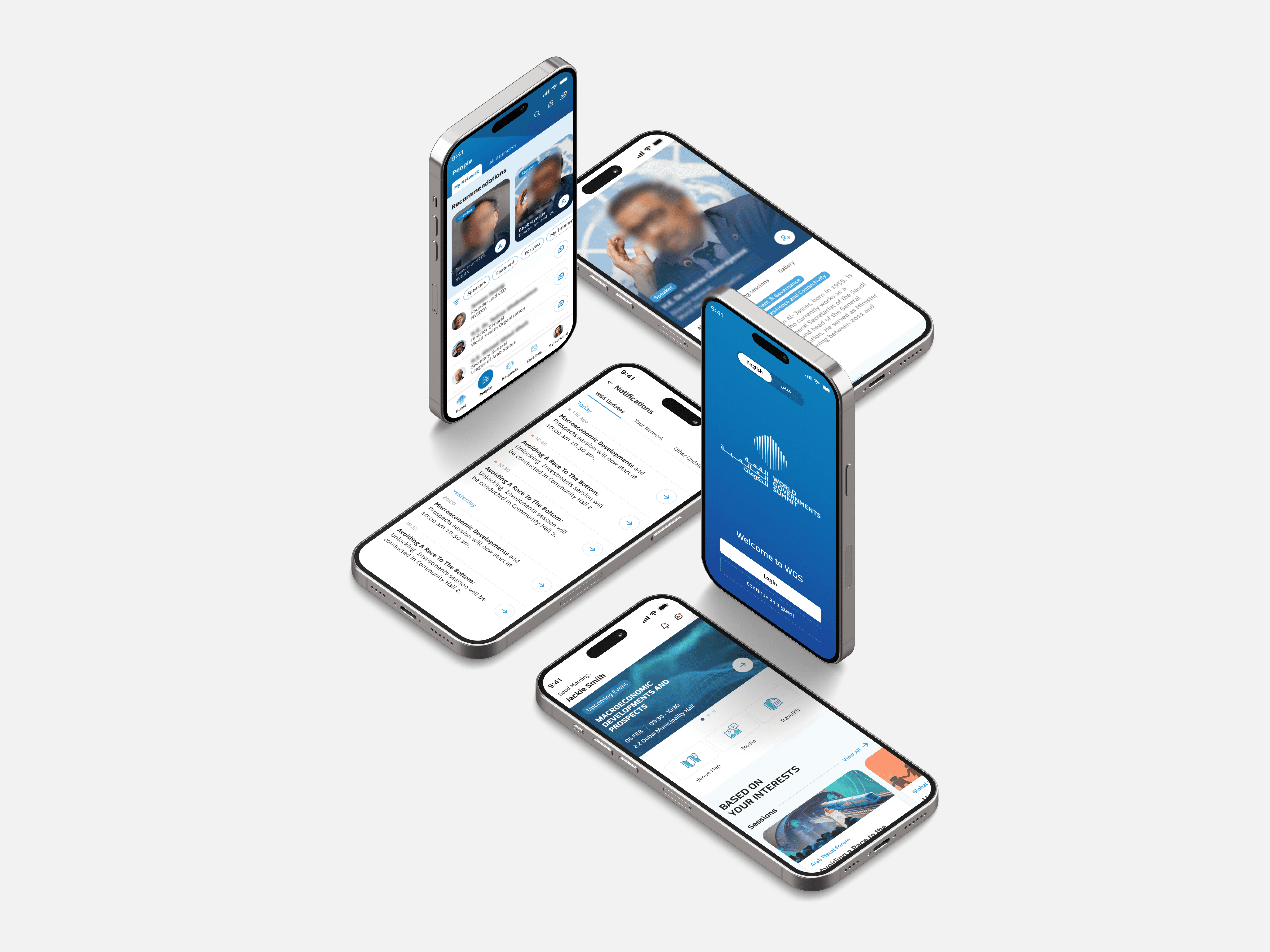
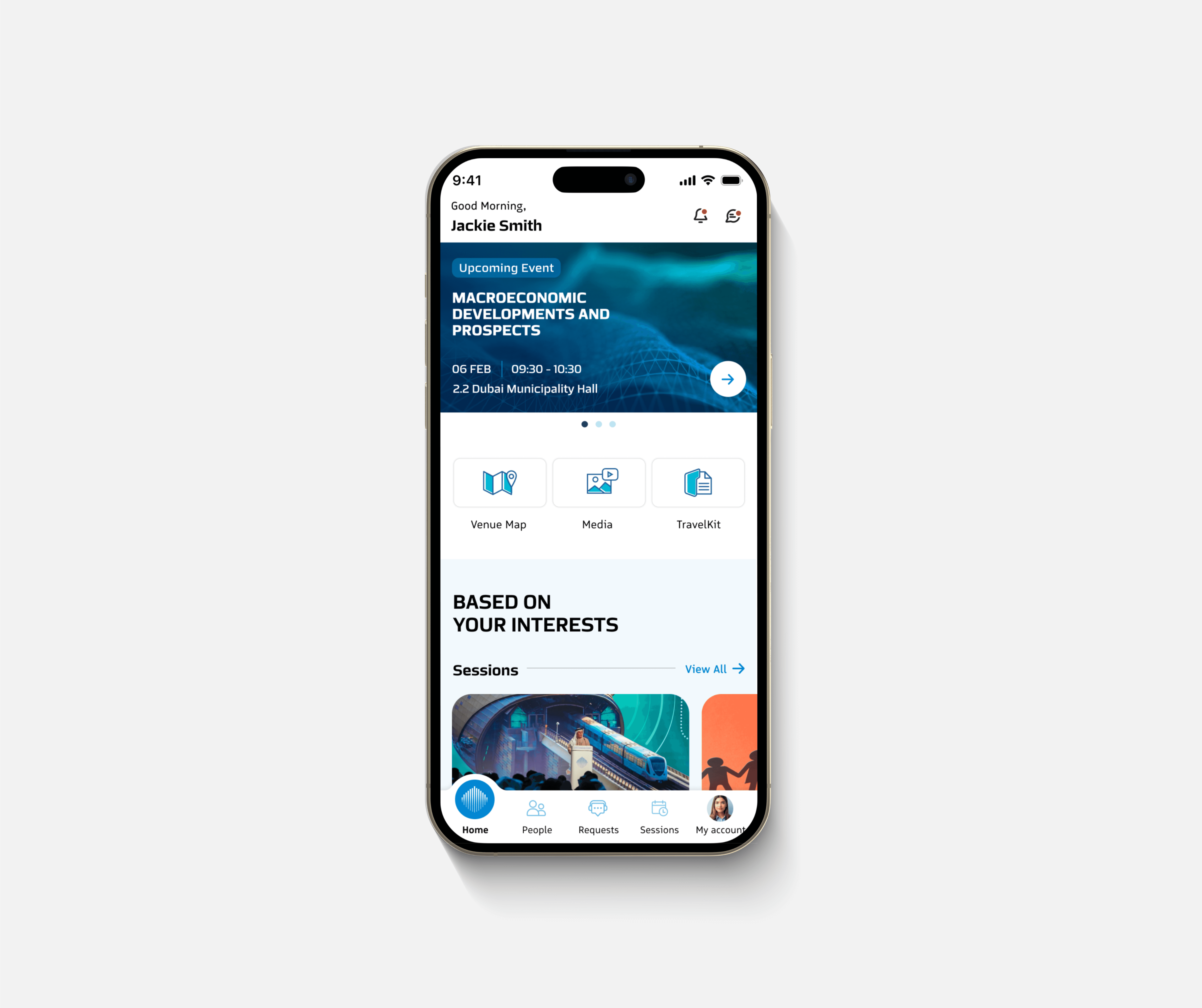
THE NEW APP DESIGN
Feature 1
WGS Agenda + My Sessions
I began with the Agenda—the most used and most confusing part of the app. The challenge was visible: event formats and access levels weren’t clearly defined. Users needed to quickly identify sessions relevant to them, understand if they had access, and build a schedule they could rely on.
Prototyping to Untangle Complexity
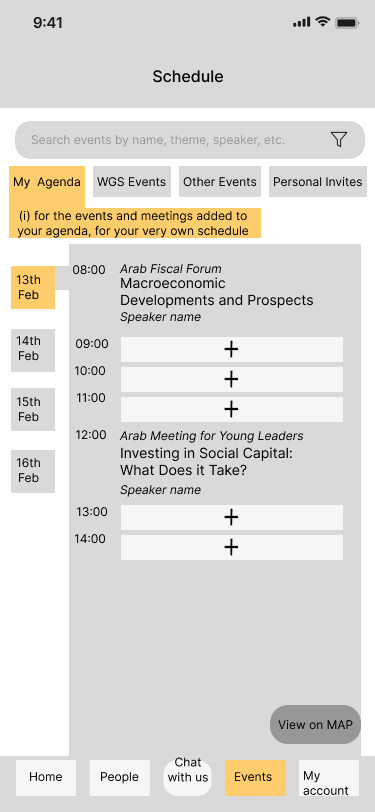
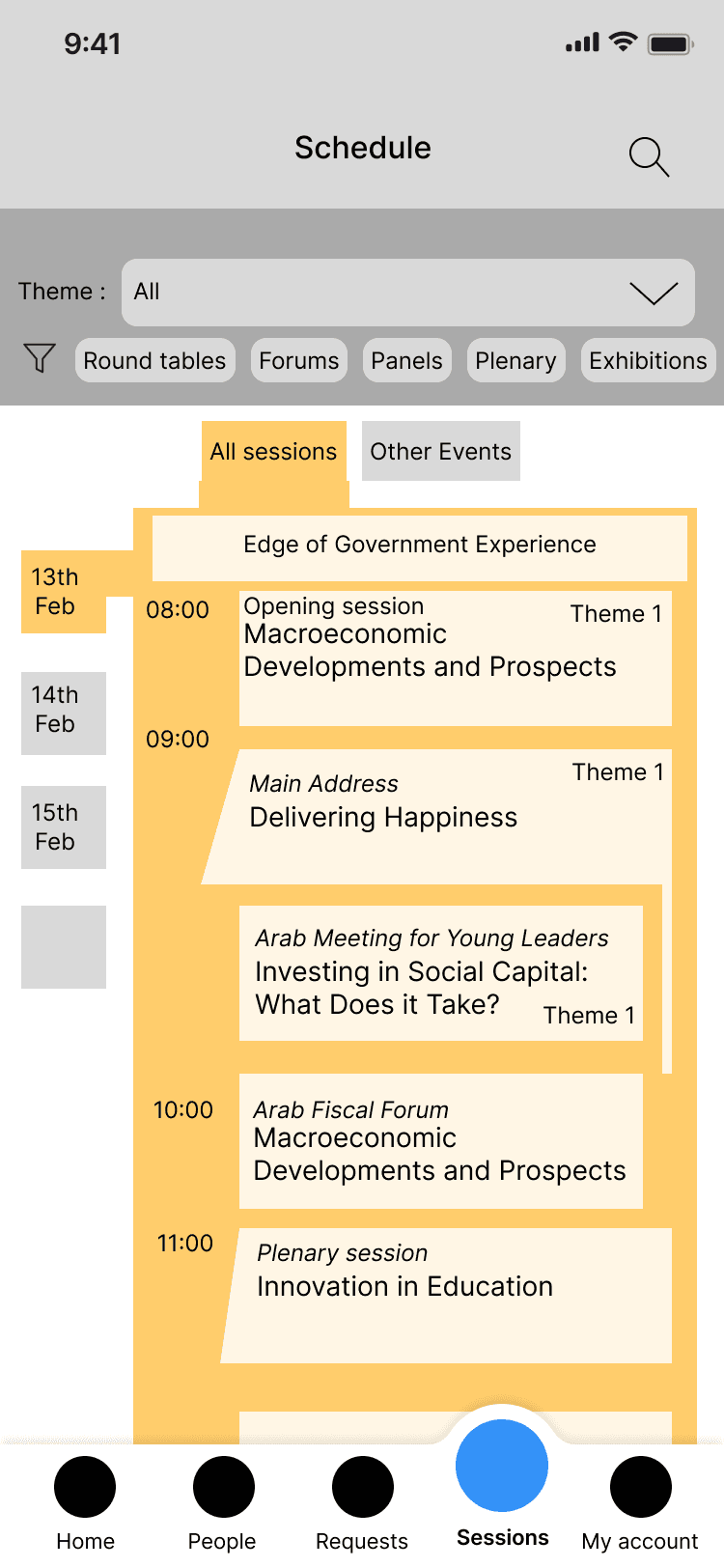
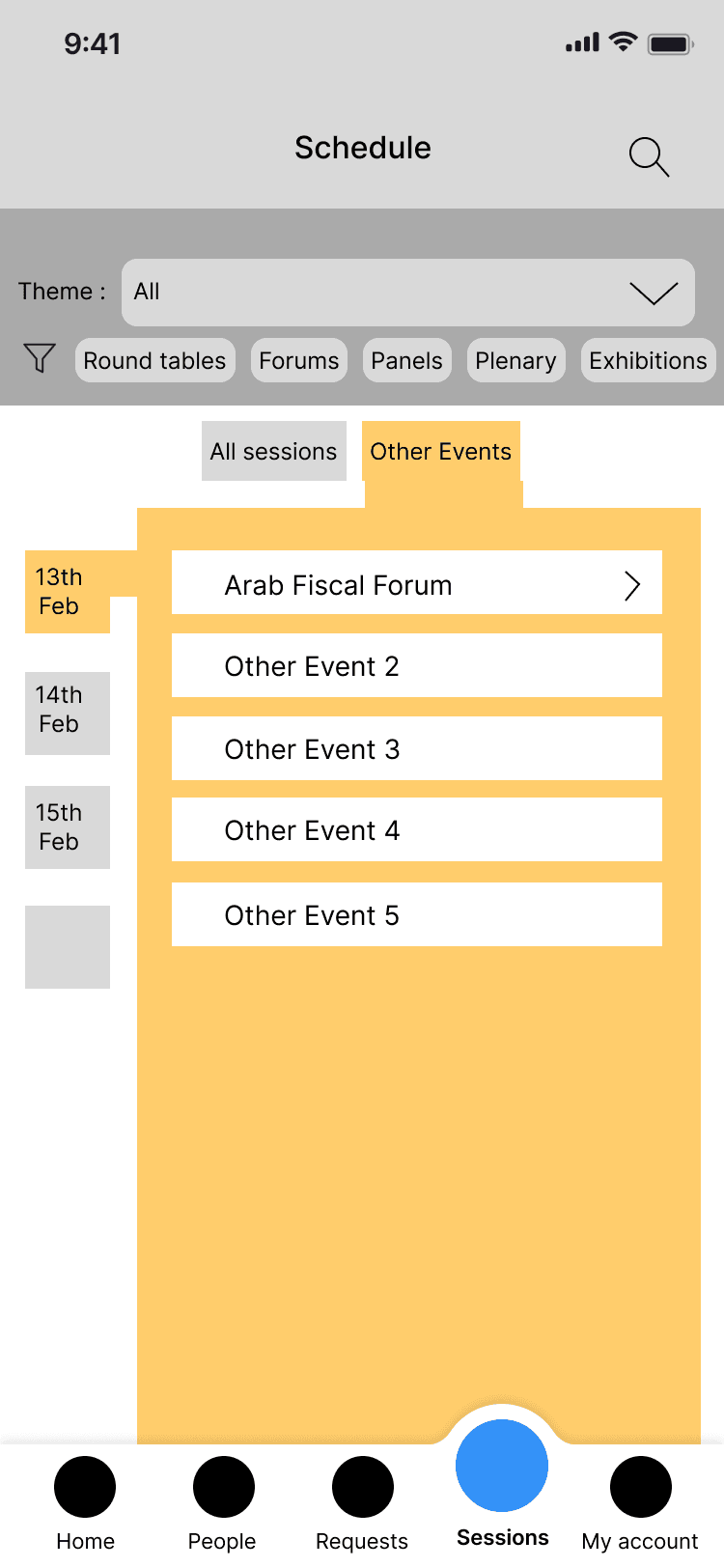
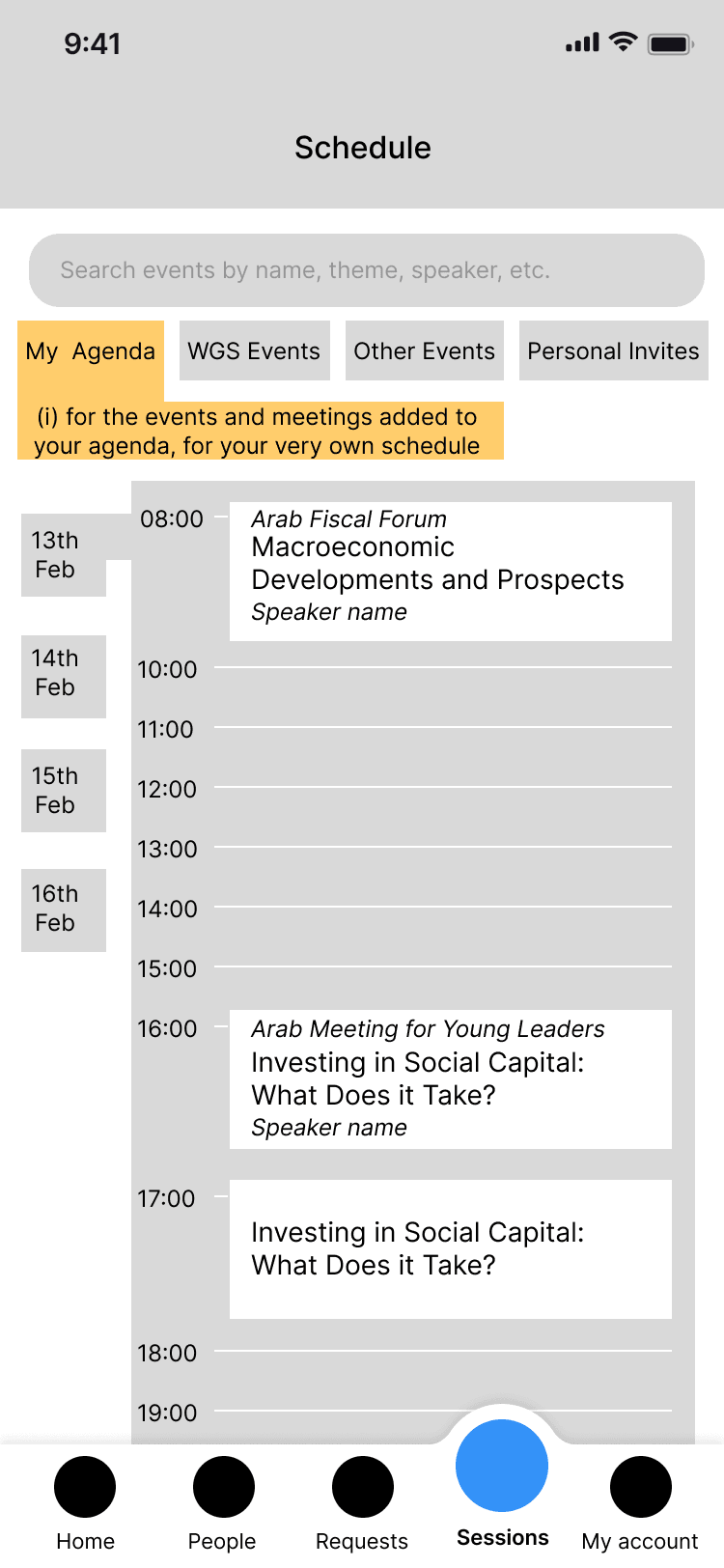
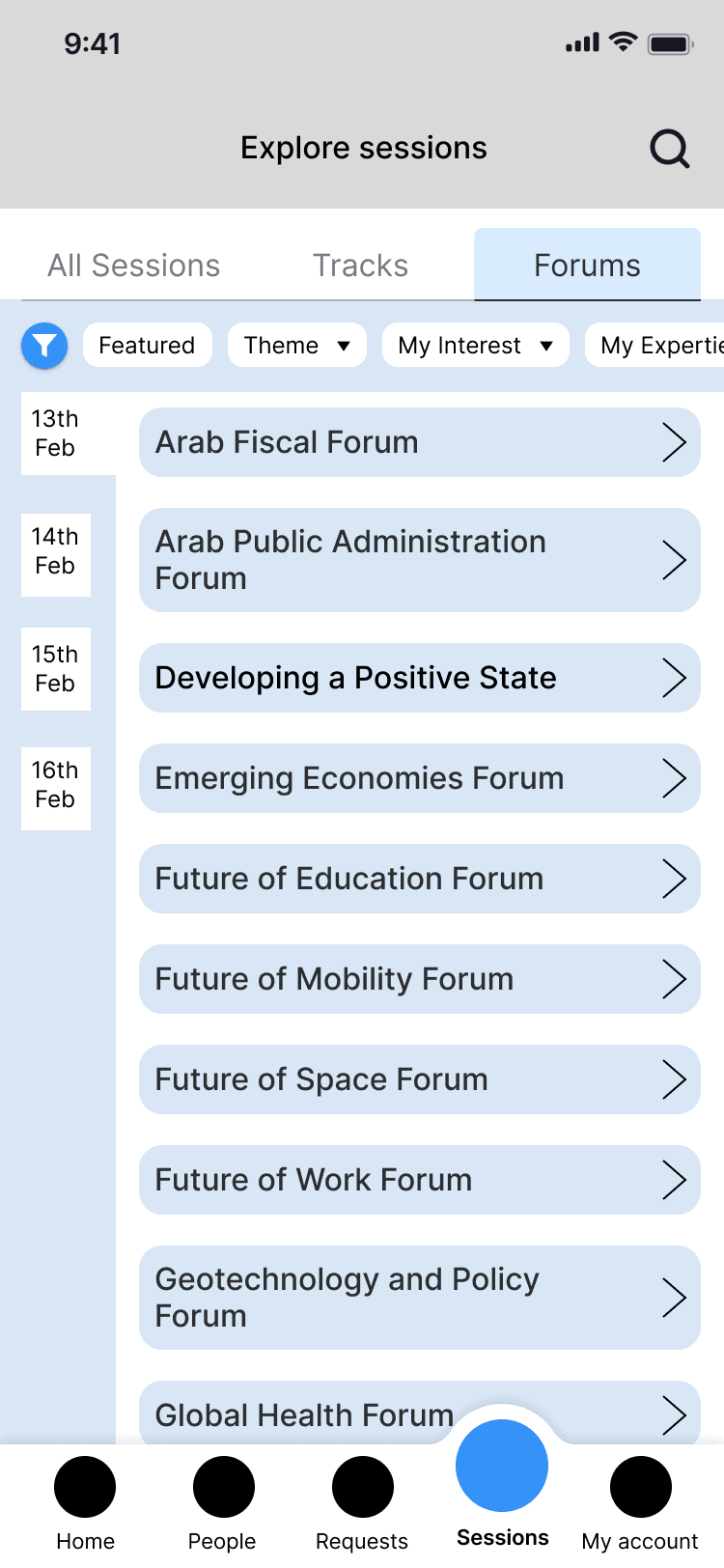
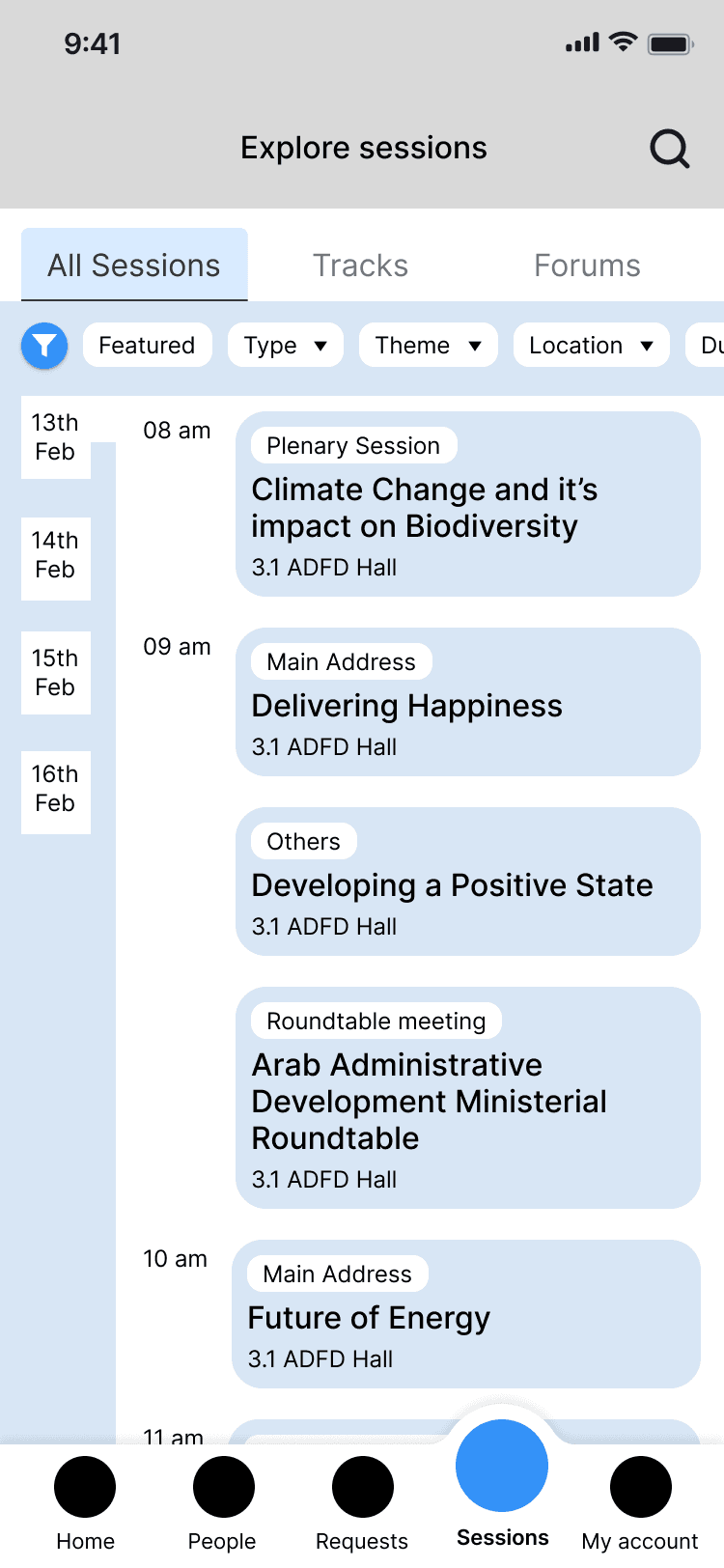
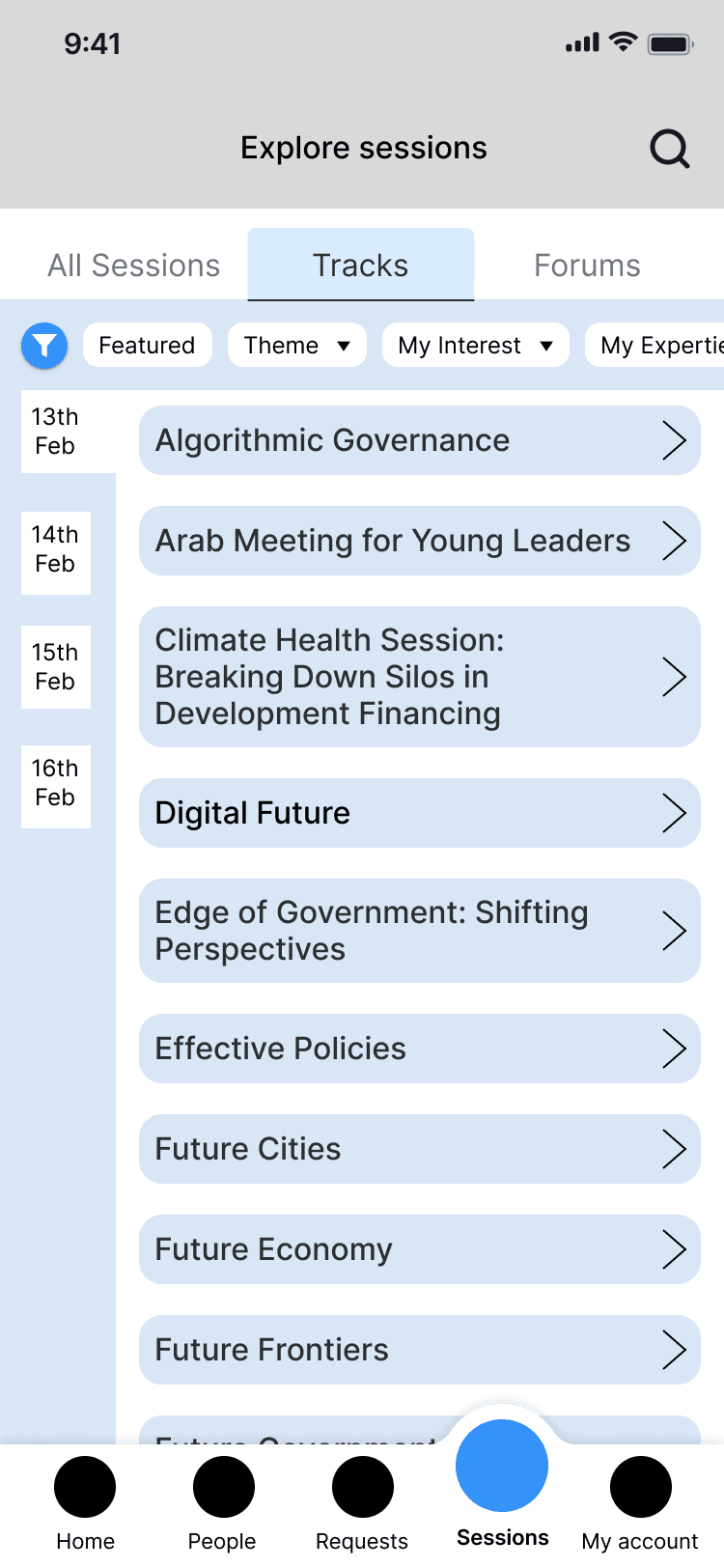
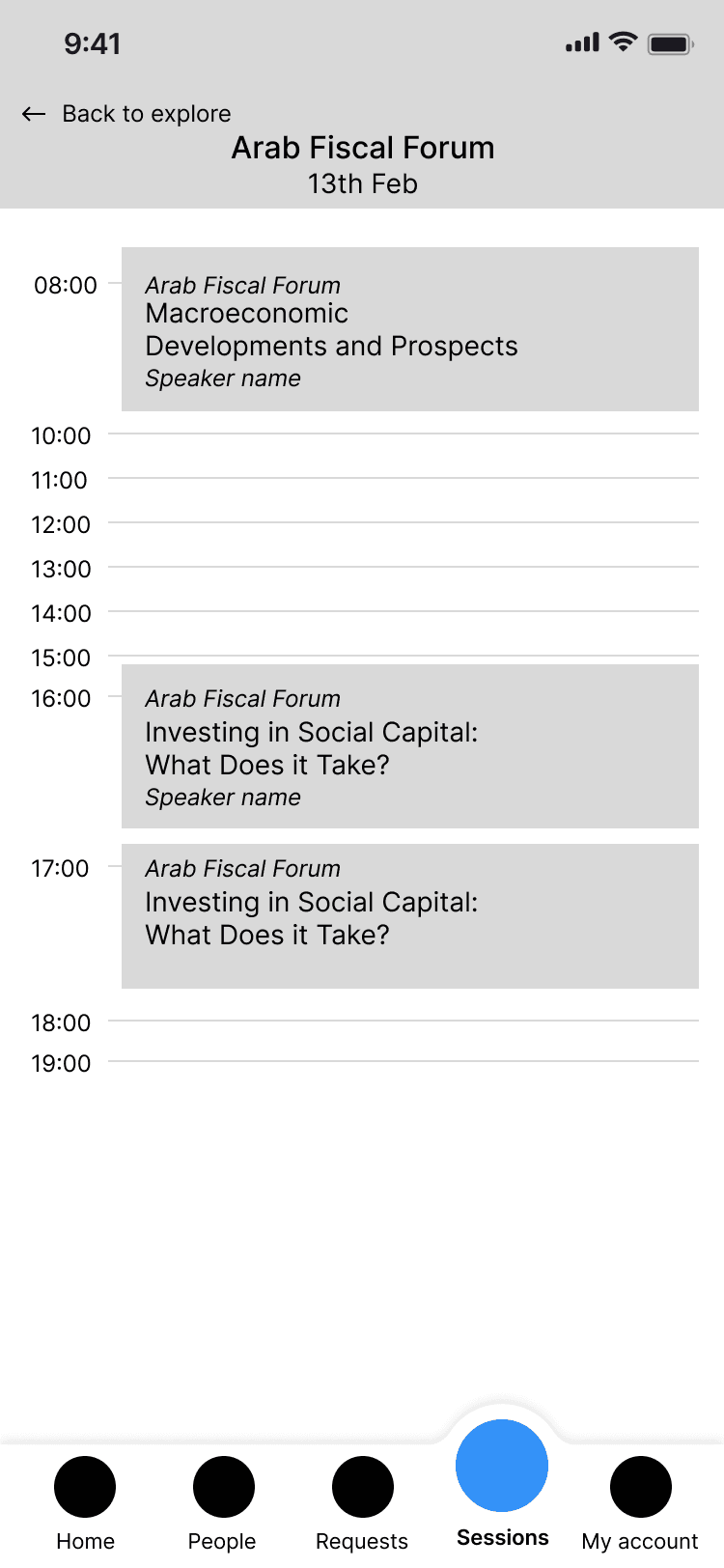
To move forward, I worked through different sets of assumptions, creating wireframes that visually mapped possible interactions. These wireframes weren’t just UI explorations; they served as conversation starters to clarify backend logic, user permissions, and event structure.
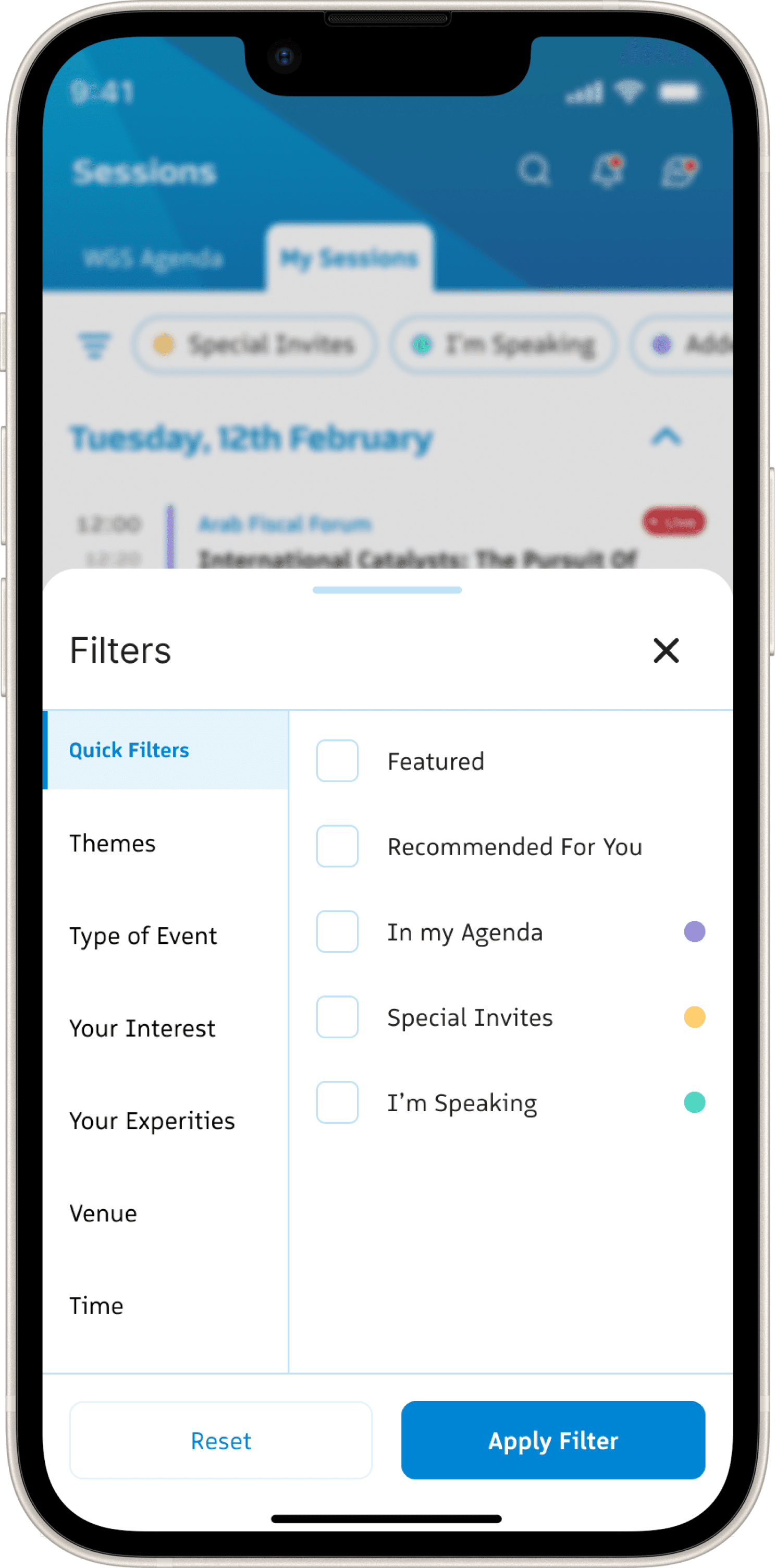
Through this process, it became clear that the Agenda couldn’t be a one-size-fits-all experience. Quick filters served as the core of this module.
Walking the client through each scenario allowed us to reverse-engineer how the system actually needed to work. By iterating on session categorisation, filtering methods, and access rules, we gradually built a clearer framework for structuring event information in a way that supported both users and backend operations
The following is just a glimpse of the variations created.
Round 1
Round 2
Final Design -
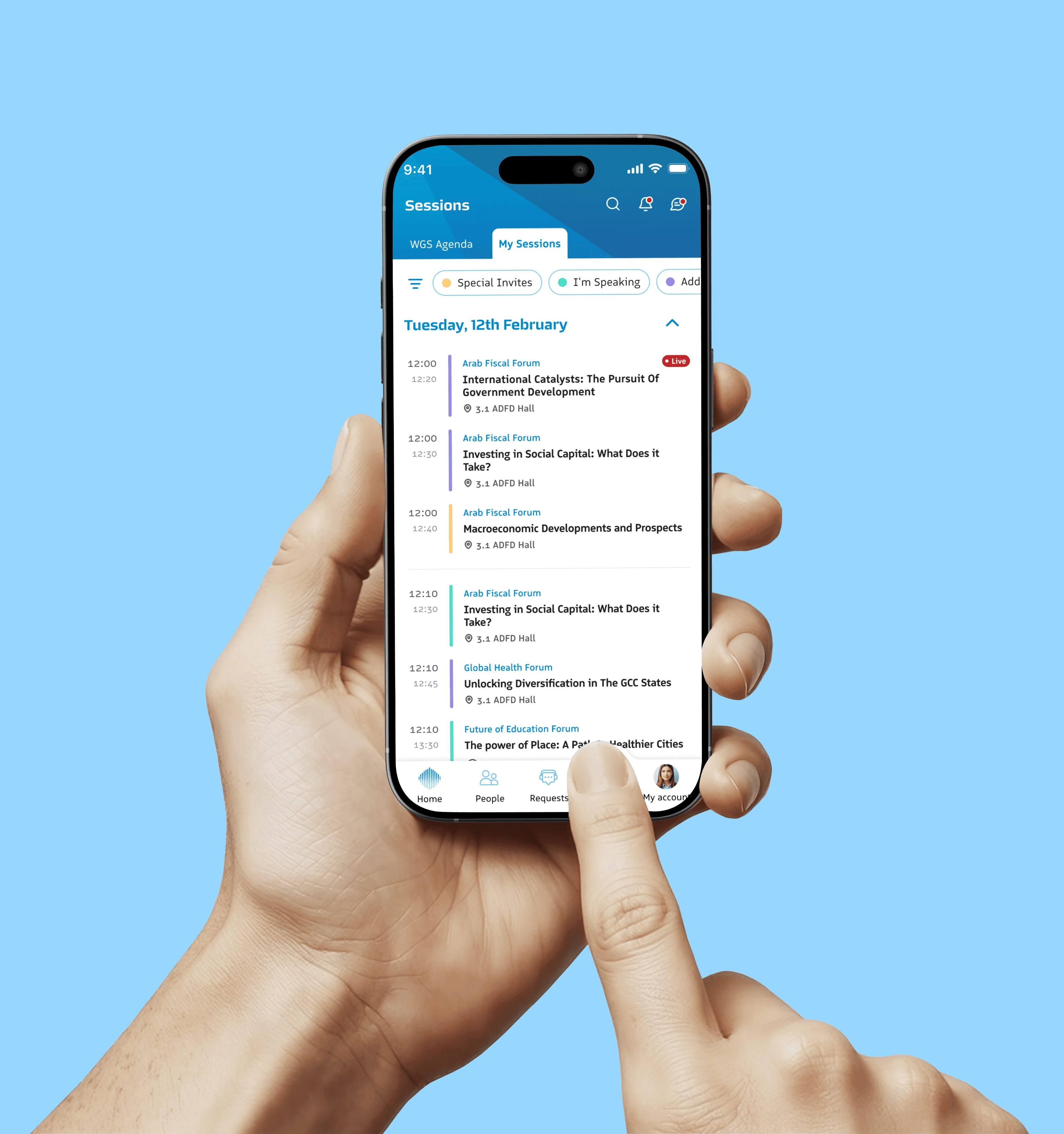
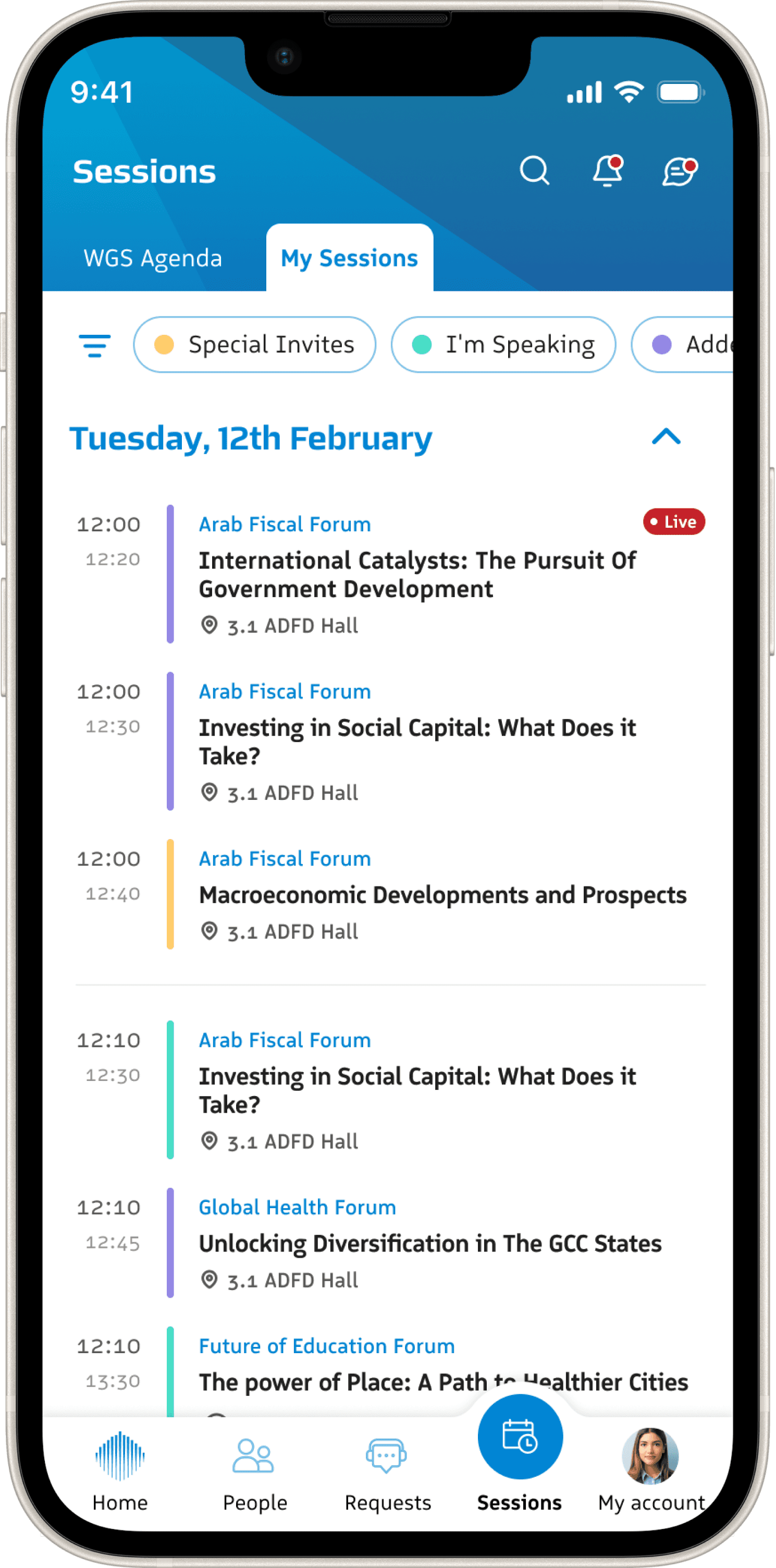
The session module consisted of the WGS Agenda, the official schedule of WGS and My Session, the personal calendar of the user.
Within the WGS Agenda, Forums, Roundtables, Book releases, Press Release, etc. are categories of sessions, helping attendees see all clusters of events under a topic.
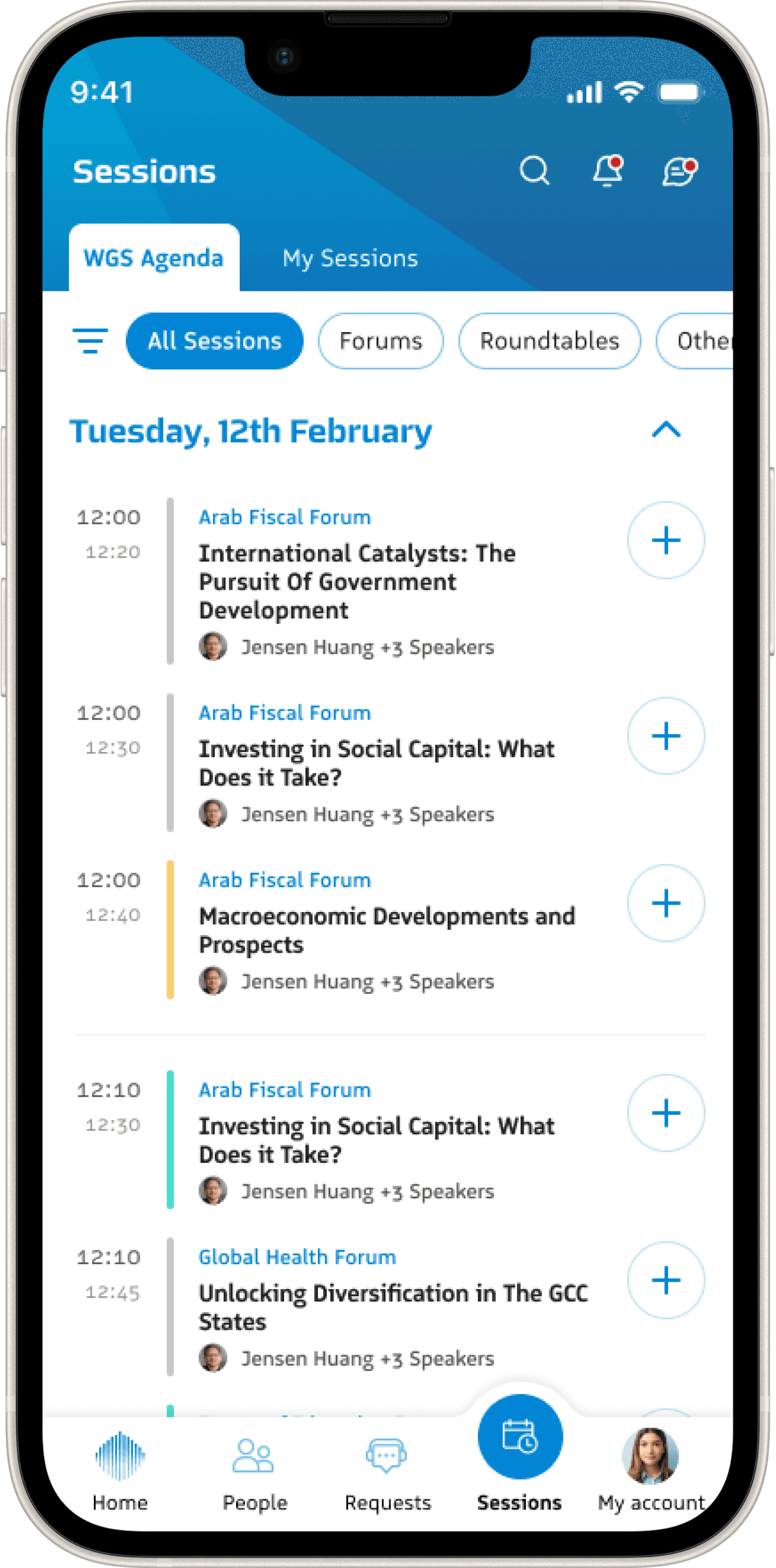
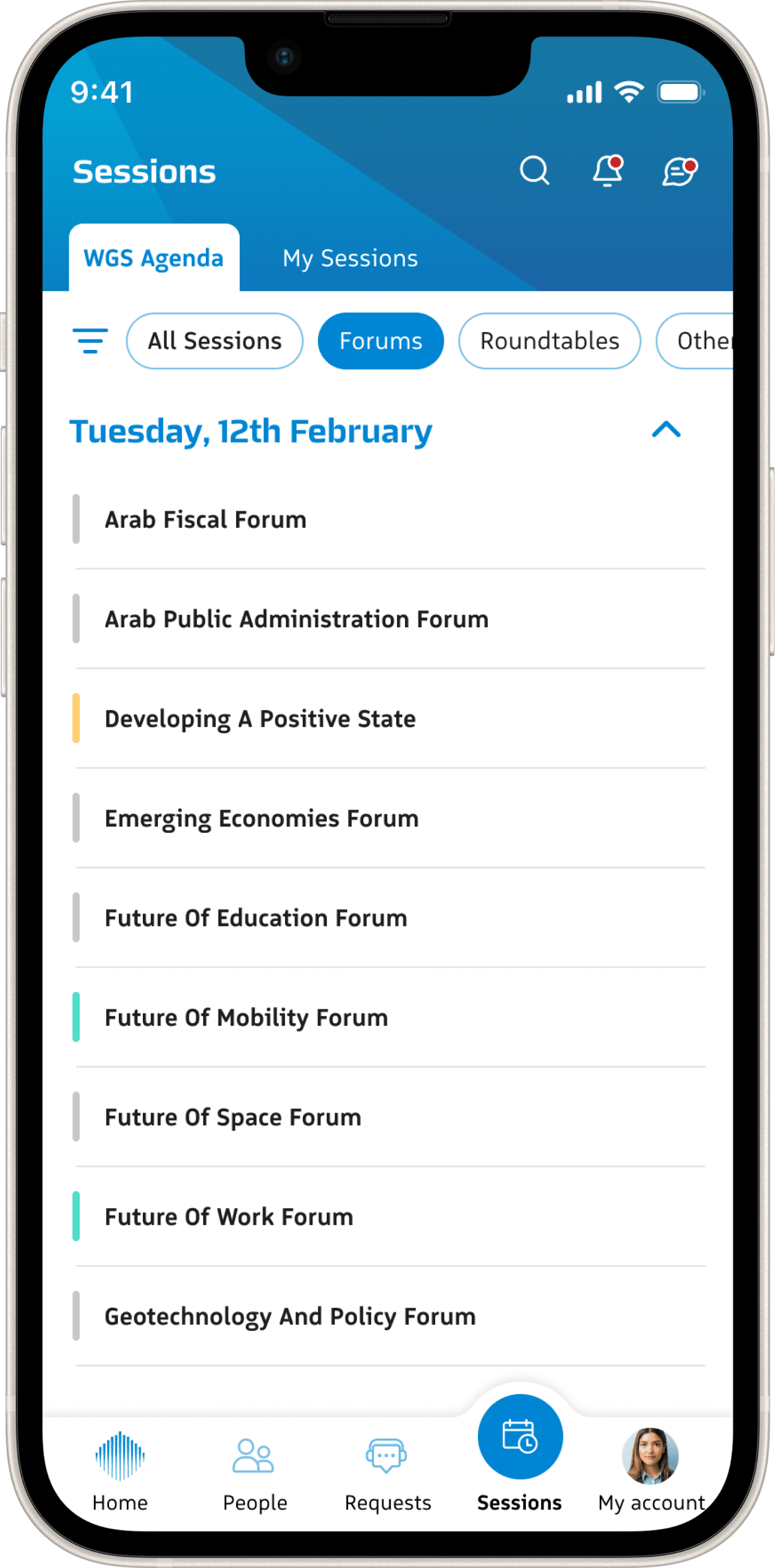
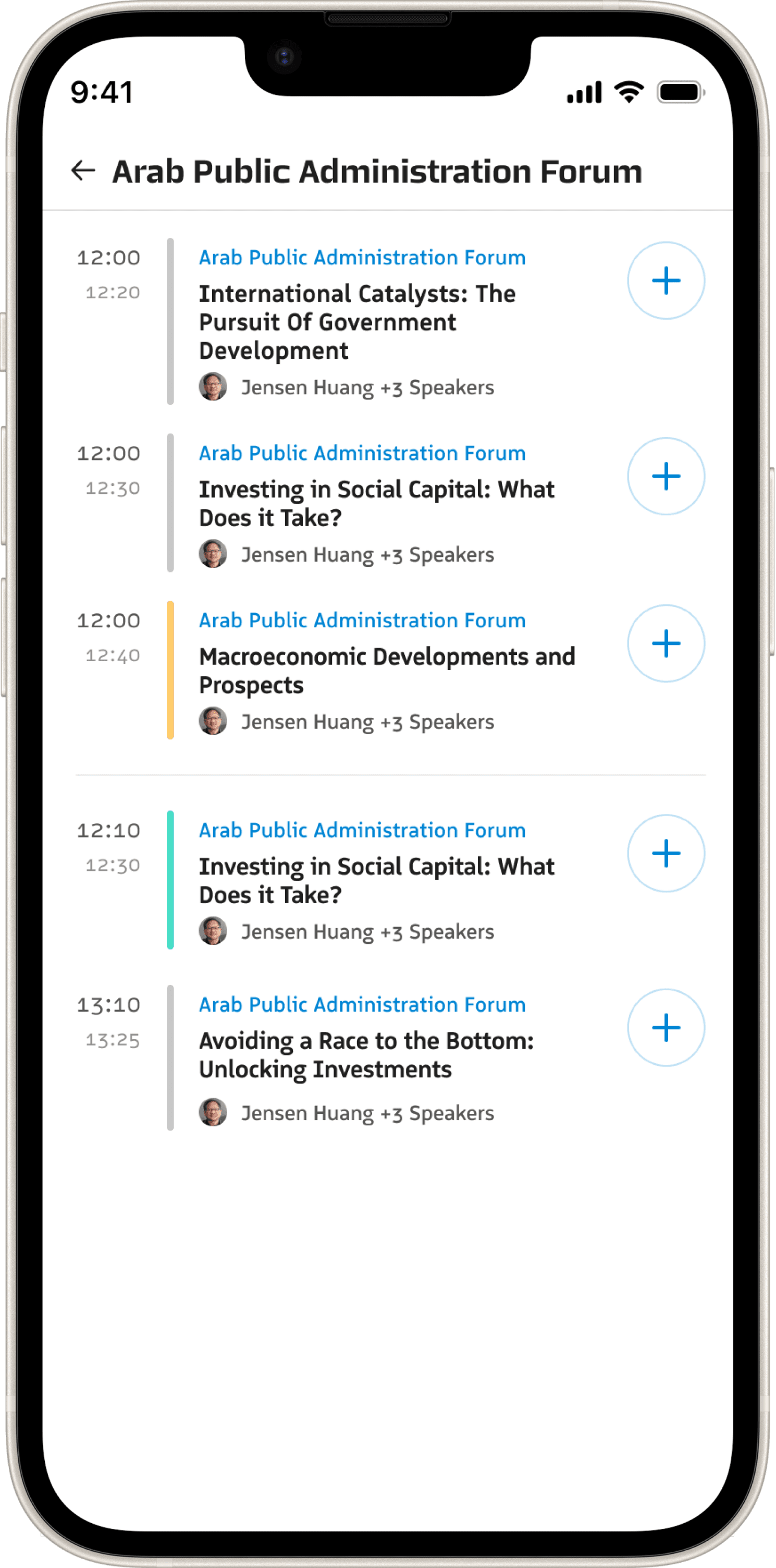
Other than the session-based filters, each session has been colour coded (an evil but necessary learning curve) to help users filter sessions that WGS has invited them to, they plan to attend themselves or ones where they are the Speakers.
Sessions that the user has been invited to or is speaking at are auto added to their 'My Session'.
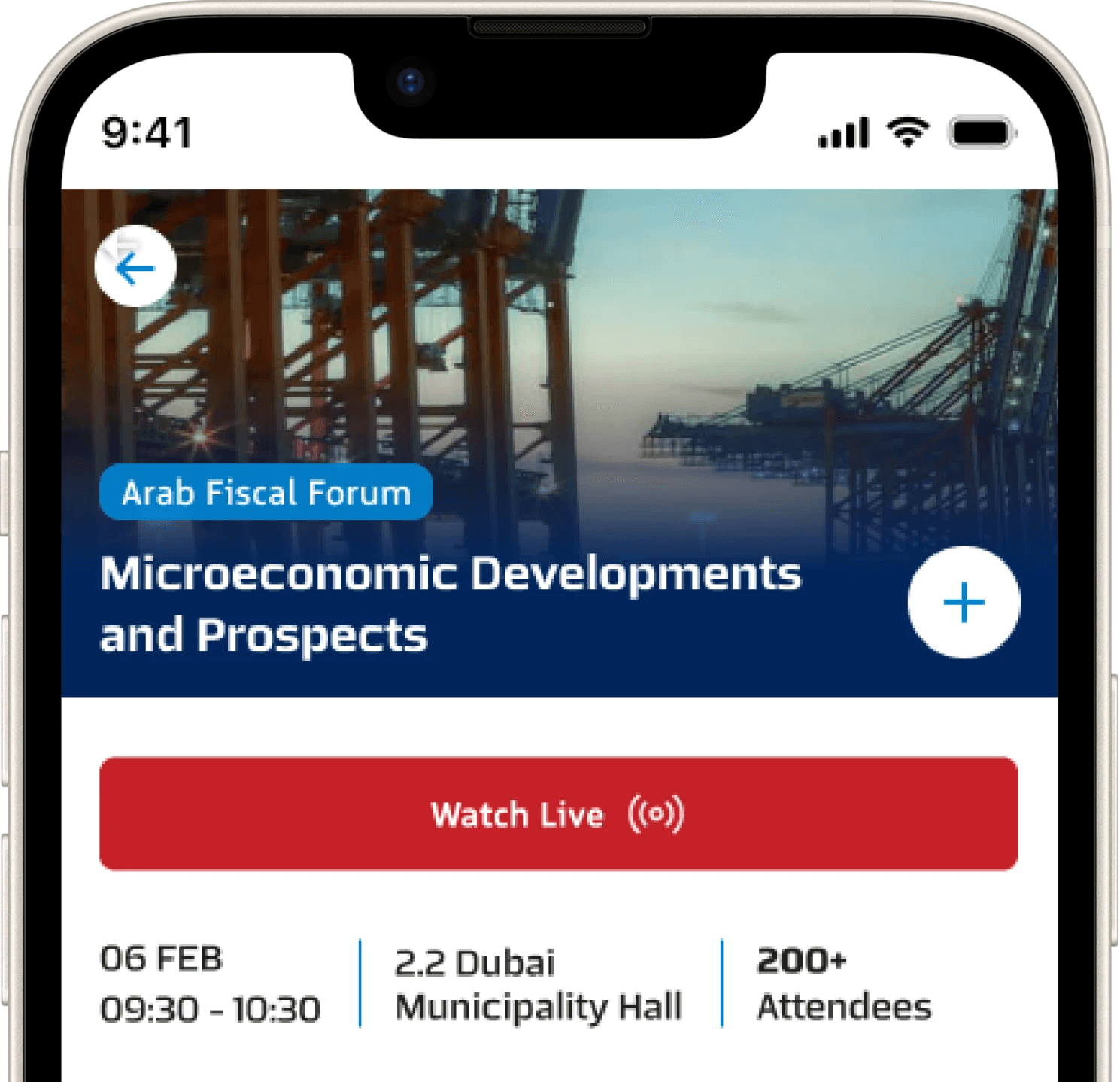
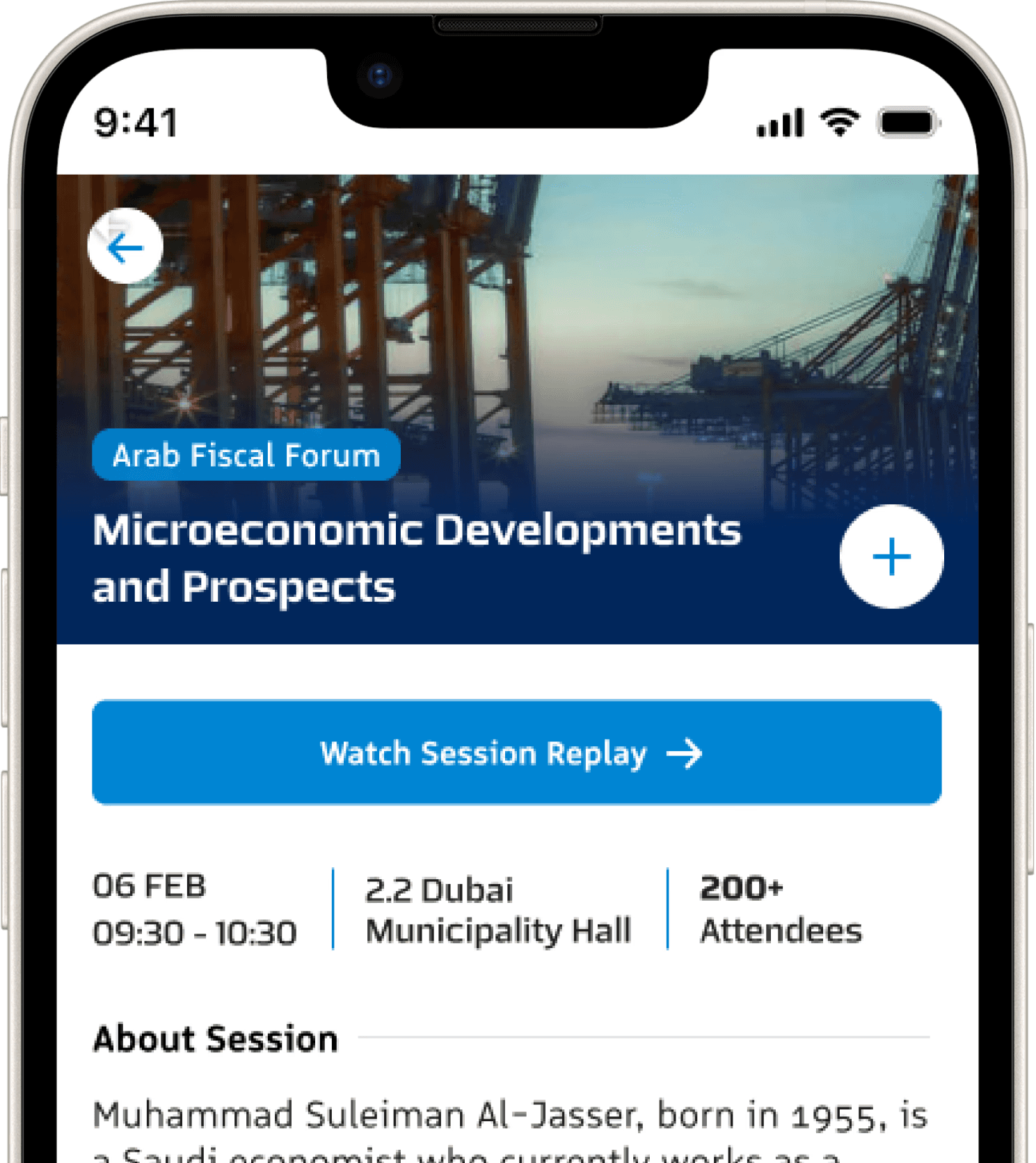
As soon as a session that the user has in their calendar goes live, a push notification is sent along with a link on the home screen. Users can join the live session as well as watch the replay of an event once the session has been completed.

REFLECTION
What did this project teach me?
This project reminded me that design isn’t just about solving problems — it’s often about **defining them first**. Much of the early work involved helping the client articulate what their users needed, what their system allowed, and where the gaps were in between. Design became a way to expose ambiguity — and then bring structure to it. Prototypes weren’t just a tool for validation, but a language for collaboration.
What would I carry forward?
I’ve learned the value of designing under uncertainty. It pushed me to stay curious, to make strategic assumptions, and to treat questions as forward motion rather than friction. And I’ve seen how even a complex system can feel clear and usable — when it’s built around what real people actually need in the moment.
Thank you!
@ Mansi Khedekar 2025
Again, sorry for the inconvenience.
Please view my portfolio on a desktop, I will soon make my website responsive (I hope).
Sorry! This breakpoint is still pending.
@ Mansi Khedekar 2025